

Background
One of the best resources for anyone who’s into oracle tech is this site called the devgym. It contains games, quizzes, classes and workouts all designed to help build developers’ Oracle Database, SQL and PL/SQL muscles for FREE! I visit this site often to play the speed SQL and SQUIZL games and sometimes the occasional other random quiz. The exercises are short, fun and help me learn a lot.
Recently, one of the SQUIZLs was tough and I only managed to figure it out after 5 attempts.
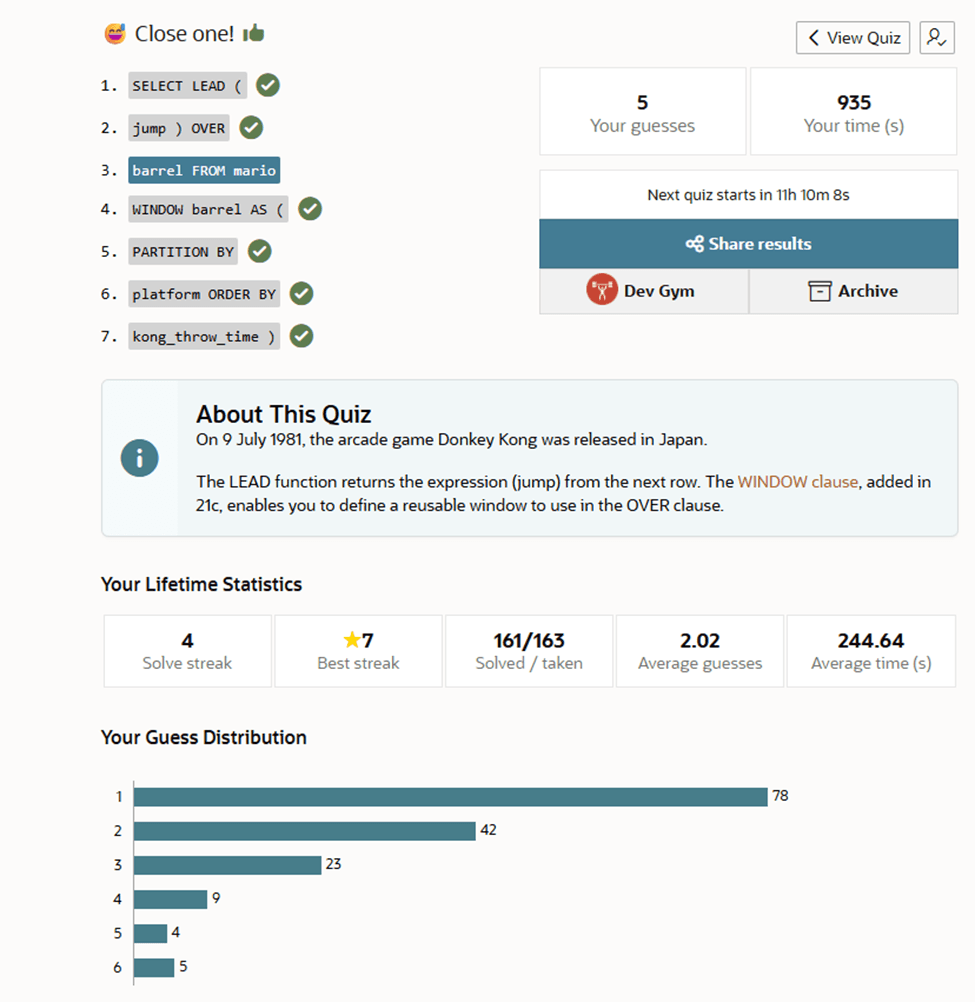
As a result, I learned about the WINDOW clause. It’s all fair because the whole point of visiting the devgym is to learn new things. In this post I will talk about the WINDOW clause and see some examples of its use.
Introduction
The window clause (introduced in Oracle database 21c) can be used within a window function to define a reusable window that can be used in the over clause. In addition, it helps eliminate redundant code when performing multiple analytics on the same data subset.
If you’ve ever written several analytic functions in the same query, you’ve probably repeated the same PARTITION BY and ORDER BY clauses over and over. The WINDOW clause lets you define that specification once, give it a name, and reuse it.
In order to see how this works let’s use it to solve a fictional problem.
Example
Consider the oracle sample HR schema. Imagine HR wants to analyze salaries and hiring trends over time. They need a report showing each employee’s salary in order of their hire date alongside two departmental metrics:
- A running total of employee salaries.
- A moving average of employee salaries.
for departments 30, 60 and 100
Pre-21c Syntax
Prior to Oracle 21c, we would have had to repeat the identical PARTITION BY and ORDER BY specifications inside every OVER() clause as shown below.
SELECT
     department_id
    ,first_name
    ,hire_date
    ,salary
    ,SUM(salary)       OVER (PARTITION BY department_id ORDER BY hire_date)    AS running_total_sal_dept
    ,ROUND(AVG(salary) OVER (PARTITION BY department_id ORDER BY hire_date))   AS running_avg_sal_dept
FROM
    employees
WHERE department_id IN (30,60,100)
order by 1, 3;

   DEPARTMENT_ID FIRST_NAME     HIRE_DATE       SALARY    RUNNING_TOTAL_SAL_DEPT    RUNNING_AVG_SAL_DEPT
________________ ______________ ____________ _________ _________________________ _______________________
              30 Den            07-DEC-02        11000                     11000                   11000
              30 Alexander      18-MAY-03         3100                     14100                    7050
              30 Sigal          24-JUL-05         2800                     16900                    5633
              30 Shelli         24-DEC-05         2900                     19800                    4950
              30 Guy            15-NOV-06         2600                     22400                    4480
              30 Karen          10-AUG-07         2500                     24900                    4150
              60 David          25-JUN-05         4800                      4800                    4800
              60 Alexander      03-JAN-06         9000                     13800                    6900
              60 Valli          05-FEB-06         4800                     18600                    6200
              60 Diana          07-FEB-07         4200                     22800                    5700
              60 Bruce          21-MAY-07         6000                     28800                    5760
             100 Daniel         16-AUG-02         9000                      9000                    9000
             100 Nancy          17-AUG-02        12008                     21008                   10504
             100 John           28-SEP-05         8200                     29208                    9736
             100 Ismael         30-SEP-05         7700                     36908                    9227
             100 Jose Manuel    07-MAR-06         7800                     44708                    8942
             100 Luis           07-DEC-07         6900                     51608                    8601

17 rows selected.
21c + Syntax
The WINDOW clause allows us to define a named window at the bottom of the query and just re-use that name in the over clause, seamlessly specifying our windows. The above query could be re-written as :
SELECT
     department_id
    ,first_name
    ,hire_date
    ,salary
    ,SUM(salary)        OVER w   AS running_total_sal_dept
    ,ROUND(AVG(salary)  OVER w)  AS running_avg_sal_dept
FROM employees
WHERE department_id IN (30,60,100)
WINDOW w AS (PARTITION BY department_id ORDER BY hire_date)
order by 1, 3
;
   DEPARTMENT_ID FIRST_NAME     HIRE_DATE       SALARY    RUNNING_TOTAL_SAL_DEPT    RUNNING_AVG_SAL_DEPT
________________ ______________ ____________ _________ _________________________ _______________________
              30 Den            07-DEC-02        11000                     11000                   11000
              30 Alexander      18-MAY-03         3100                     14100                    7050
              30 Sigal          24-JUL-05         2800                     16900                    5633
              30 Shelli         24-DEC-05         2900                     19800                    4950
              30 Guy            15-NOV-06         2600                     22400                    4480
              30 Karen          10-AUG-07         2500                     24900                    4150
              60 David          25-JUN-05         4800                      4800                    4800
              60 Alexander      03-JAN-06         9000                     13800                    6900
              60 Valli          05-FEB-06         4800                     18600                    6200
              60 Diana          07-FEB-07         4200                     22800                    5700
              60 Bruce          21-MAY-07         6000                     28800                    5760
             100 Daniel         16-AUG-02         9000                      9000                    9000
             100 Nancy          17-AUG-02        12008                     21008                   10504
             100 John           28-SEP-05         8200                     29208                    9736
             100 Ismael         30-SEP-05         7700                     36908                    9227
             100 Jose Manuel    07-MAR-06         7800                     44708                    8942
             100 Luis           07-DEC-07         6900                     51608                    8601

17 rows selected.
As shown above, we get the same results with cleaner syntax. We define the window once and can re-use it for multiple different computations.
Note: The WINDOW clause must come before the ORDER BY clause.
Multiple Windows
Multiple different windows can also be defined in the same query. For example; Imagine the request changed from wanting to see the average salary for all employees in the department to Wanting to see a moving average of the last 3 hired employees’ salaries in that department. This can be written in Oracle SQL as below:
SELECT
     department_id
    ,first_name
    ,hire_date
    ,salary
    ,SUM(salary)  OVER w1  AS running_total_sal_dept
    ,AVG(salary)  OVER w2  AS running_avg_sal_dept
FROM employees
WHERE department_id IN (30,60,100)
WINDOW w1 AS (PARTITION BY department_id ORDER BY hire_date),
       w2 AS (PARTITION BY department_id ORDER BY hire_date ROWS BETWEEN 2 PRECEDING AND CURRENT ROW )
order by 1, 3
;
DEPARTMENT_ID FIRST_NAME           HIRE_DATE     SALARY RUNNING_TOTAL_SAL_DEPT RUNNING_AVG_SAL_DEPT
------------- -------------------- --------- ---------- ---------------------- --------------------
           30 Den                  07-DEC-02      11000                  11000                11000
           30 Alexander            18-MAY-03       3100                  14100                 7050
           30 Sigal                24-JUL-05       2800                  16900           5633.33333
           30 Shelli               24-DEC-05       2900                  19800           2933.33333
           30 Guy                  15-NOV-06       2600                  22400           2766.66667
           30 Karen                10-AUG-07       2500                  24900           2666.66667
           60 David                25-JUN-05       4800                   4800                 4800
           60 Alexander            03-JAN-06       9000                  13800                 6900
           60 Valli                05-FEB-06       4800                  18600                 6200
           60 Diana                07-FEB-07       4200                  22800                 6000
           60 Bruce                21-MAY-07       6000                  28800                 5000

DEPARTMENT_ID FIRST_NAME           HIRE_DATE     SALARY RUNNING_TOTAL_SAL_DEPT RUNNING_AVG_SAL_DEPT
------------- -------------------- --------- ---------- ---------------------- --------------------
          100 Daniel               16-AUG-02       9000                   9000                 9000
          100 Nancy                17-AUG-02      12008                  21008                10504
          100 John                 28-SEP-05       8200                  29208                 9736
          100 Ismael               30-SEP-05       7700                  36908           9302.66667
          100 Jose Manuel          07-MAR-06       7800                  44708                 7900
          100 Luis                 07-DEC-07       6900                  51608           7466.66667

17 rows selected.
Notice that the windows are defined differently as w1 and w2 , with different parameters.
Note: When the window name is specified with a windowing clause(such as w2 above), it can only be referenced directly (without parentheses). More info.
Extending the Windows
Oracle allows one named window to serve as a base definition. We can add Additional clauses such as ROWS BETWEEN in individual analytic functions without repeating the PARTITION BY and ORDER BY clauses.
Consider the query above, it could be re-written as:
SELECT
     department_id
    ,first_name
    ,hire_date
    ,salary
    ,SUM(salary)  OVER w1                                             AS running_total_sal_dept
    ,AVG(salary)  OVER (w1 ROWS BETWEEN 2 PRECEDING AND CURRENT ROW)  AS running_avg_sal_dept
FROM employees
WHERE department_id IN (30,60,100)
WINDOW w1 AS (PARTITION BY department_id ORDER BY hire_date)
order by 1, 3
/

DEPARTMENT_ID FIRST_NAME           HIRE_DATE     SALARY RUNNING_TOTAL_SAL_DEPT RUNNING_AVG_SAL_DEPT
------------- -------------------- --------- ---------- ---------------------- --------------------
           30 Den                  07-DEC-02      11000                  11000                11000
           30 Alexander            18-MAY-03       3100                  14100                 7050
           30 Sigal                24-JUL-05       2800                  16900           5633.33333
           30 Shelli               24-DEC-05       2900                  19800           2933.33333
           30 Guy                  15-NOV-06       2600                  22400           2766.66667
           30 Karen                10-AUG-07       2500                  24900           2666.66667
           60 David                25-JUN-05       4800                   4800                 4800
           60 Alexander            03-JAN-06       9000                  13800                 6900
           60 Valli                05-FEB-06       4800                  18600                 6200
           60 Diana                07-FEB-07       4200                  22800                 6000
           60 Bruce                21-MAY-07       6000                  28800                 5000

DEPARTMENT_ID FIRST_NAME           HIRE_DATE     SALARY RUNNING_TOTAL_SAL_DEPT RUNNING_AVG_SAL_DEPT
------------- -------------------- --------- ---------- ---------------------- --------------------
          100 Daniel               16-AUG-02       9000                   9000                 9000
          100 Nancy                17-AUG-02      12008                  21008                10504
          100 John                 28-SEP-05       8200                  29208                 9736
          100 Ismael               30-SEP-05       7700                  36908           9302.66667
          100 Jose Manuel          07-MAR-06       7800                  44708                 7900
          100 Luis                 07-DEC-07       6900                  51608           7466.66667

17 rows selected.
Notice how the window w1 is defined once but extended in the second analytic function call adding parameters to the base specified window.
Conclusion
The window clause allows us to define a base window at the bottom for reuse in different analytic function calls within a query. While it doesn’t introduce new analytic capabilities, it makes complex queries significantly easier to read and maintain. If you regularly work with analytics, this is a great feature to add to your toolbox. Also, if you’re new to Analytics and want to learn all about it, check out the Analytic SQL for Developers course to get up to speed. Oh and did I mention it’s FREE?
Thanks to everyone at the Devgym for helping me sharpen my SQL skills.
Cheers, Harris.